
- Home
- Security
- Email Services
- Website Tools
Auto Remove Silence: Remove silence and jump cut an hour of video in 48 seconds.Cut or Keep: Cut or keep any word or scene previewing video and audio up to 4x speedPunch In / Out: Show where to focus and zoom in with the letter P and arrow keysExport: Render video right to your desktop or export to Premiere, Final Cut Pro, DaVinci Resolve, and Camtasia.Speed-Up: Speed-Up Silence, Loop Background Audio, and Apply Transitions. Use Coupon Code "EGP" for an exclusive 20% discount!

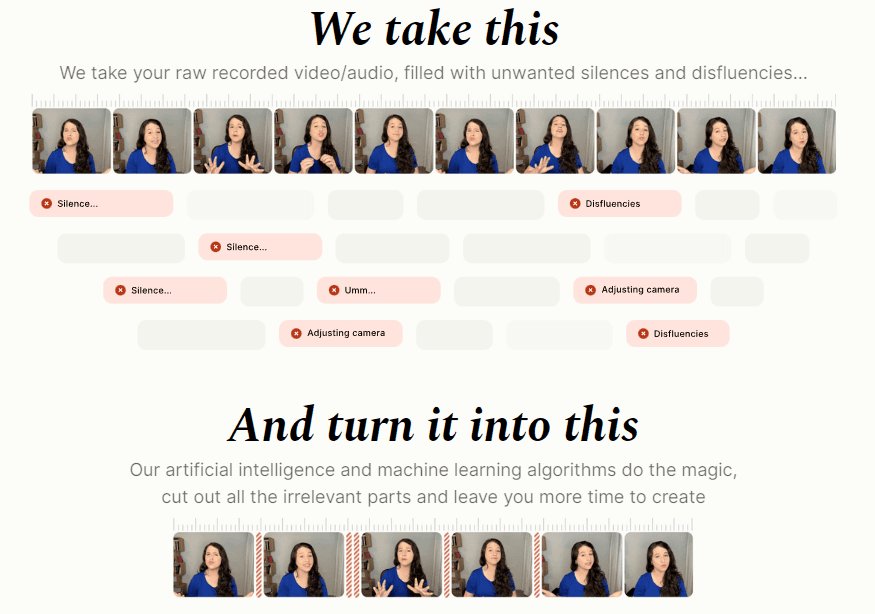
Gling automatically detects and cuts silences and bad takes from your raw footage. Built specifically for YouTubers who make "talking head" content.

Wysper is a tool that helps users to convert long videos into bite-sized highlights. It allows users to save time by not having to watch hours of footage to find the key moments, increase engagement by sharing only the most relevant content with their audience, and improve ROI by maximizing the impact of their videos by highlighting the key values discussed. Wysper can be used for explainers, educational, and speaking videos.

InVideo is a video creation tool that enables users to create professional-quality videos with ease. It offers over 5000 professionally-created templates, single click shortcuts for editing, AI-based text-to-video editor, and a full suite of features for creating videos, such as trimming, cropping, transitions, text, stickers, voiceover, and more. InVideo also provides tools for users to plan and execute a video content strategy, start a new revenue stream, save time and optimize their workflow, as well as access 8 million+ stock media. Coupon Code: MW25 (25% off)

VEED is an online video editing platform that helps users create professional-quality videos quickly and easily. It offers a range of tools, including a video editor, screen recorder, subtitles & transcription features, and more, to help users create professional videos. It also provides resources, such as video tutorials and templates, to help users get started.