
- Home
- Security
- Email Services
- Website Tools
Speech Studio is a set of tools for building and integrating features from Azure Cognitive Services Speech service into applications. It provides a no-code approach for creating projects, with access to features such as real-time speech-to-text, custom speech recognition models, pronunciation assessment, voice gallery, custom voice, audio content creation, custom keyword, and custom commands.
.png&w=3840&q=75)
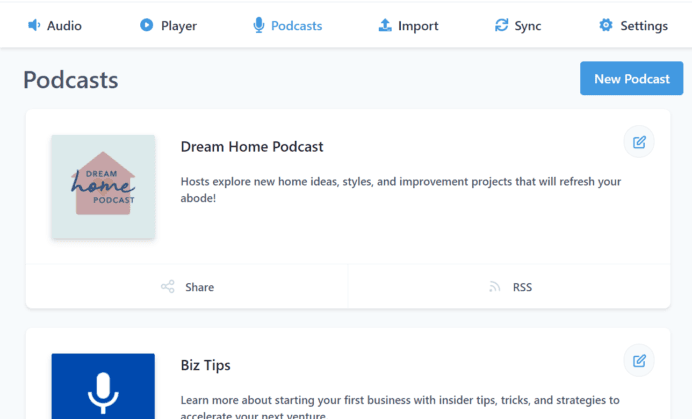
BlogcastTM is a text-to-speech tool that allows users to create podcasts, videos, audio for eLearning courses, and audio books without having to record. It is powered by AI-powered text-to-speech technology and offers a variety of voices and languages to choose from. The tool also offers hosting, podcast feeds, media players, WordPress plugins, and the ability to sync with RSS feeds.
TTS Voice Wizard is a tool that enables users to convert their speech to text, and then back to speech, through Microsoft Azure Voice Recognition and TTS. It also sends OSC messages to VRChat to display text on an avatar. The tool has a number of customization options, including 100+ different voices, 20+ supported languages, and the ability to show a song title, artist, and progress above the user.
.png&w=3840&q=75)
Uberduck is an open source voice AI community that helps users create AI-generated audio applications in minutes with their APIs. It allows users to make AI voiceovers with 5,000+ expressive voices and to create their own custom voice clones with their AI-generated rap tool. It also provides API documentation and a blog to help users get started. Finally, they are currently developing a platform for interactive voice and chat bots.

A tool that allows users to turn text into a song. It uses natural language processing to convert textual input into an audio composition. The tool allows the user to choose from a variety of music styles and instruments, as well as adjust parameters such as tempo, key, and dynamics. The resulting track can be exported as a high-quality audio file.