
- Home
- Security
- Email Services
- Website Tools
The above tool allows users to automatically create engaging video summaries by summarizing long videos into short, bite-sized clips. Users can upload their own video or URL, or choose from pre-selected videos related to lifestyle, motorization, travel, and sports. The video summary duration can be set up to a maximum of 30 seconds. This tool is only available on desktop devices.


Muse.ai is a powerful, all-in-one video platform for teams, creators, conferences, marketing, courses, and more. It offers a robust video player, video hosting, video search, and video AI tools. It has powerful features such as 4K playback, chromecast, airplay, subtitles, and more. It also offers powerful analytics, AI indexing and video search, powerful player with adaptive streaming, privacy settings, and password protection. It also provides customizations such as adding a logo and custom call-to-action screens. Additionally, it has integrations with Wordpress, Shopify, Squarespace, and more.

Videoleap is an all-in-one video editing platform that allows users to create, personalize, and share their creations. It offers a wide range of tools, templates, sound effects, stickers, fonts, stock footage, and more. It is easy to use and provides users with an intuitive and fun experience.

Unscreen is an online tool that can automatically remove the background from videos and GIFs, without any manual clicking or selection of pixels. It offers a Pro Plugin for Adobe Premiere Pro & After Effects, and provides full HD resolution, no watermark, audio support, and full length clips. It is protected by hCaptcha and its Privacy Policy and Terms of Service apply.
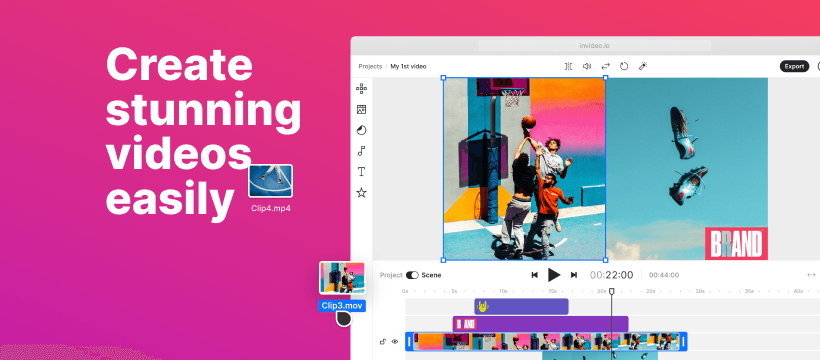
InVideo is a video creation tool that enables users to create professional-quality videos with ease. It offers over 5000 professionally-created templates, single click shortcuts for editing, AI-based text-to-video editor, and a full suite of features for creating videos, such as trimming, cropping, transitions, text, stickers, voiceover, and more. InVideo also provides tools for users to plan and execute a video content strategy, start a new revenue stream, save time and optimize their workflow, as well as access 8 million+ stock media. Coupon Code: MW25 (25% off)